
ID: wearablesoftware.wearspotifyplayer
Version: 1.3.1
File Size: 7.9Mb
Wear Spotify For Android Wear Screenshots
Wear Spotify For Android Wear Info
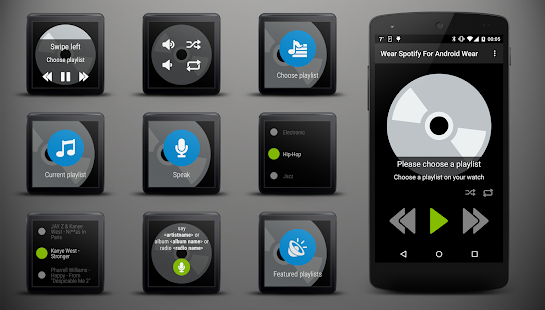
Spotify is now available for your Android Wear smartwatch. With Wear Spotify you can easily browse your playlists and select your favorite songs without using the mobile phone. In addition, you can regulate the volume and control your media player on the mobile phone remotely. The current artist, song title and album art is shown as notification card on watch. More features will be added soon. Please write us an email first before leaving a bad review. We will resolve the problem quickly. Thank you.
Instructions:
1. Login on mobile phone with your Spotify account
2. If you don't have a spotify premium account or if you want offline playback. Turn on the setting 'Play songs with spotify app'
3. Start the app on your watch
4. Choose a playlist
Features on your wearable:
- Search and play playlists
- Browse featured playlists
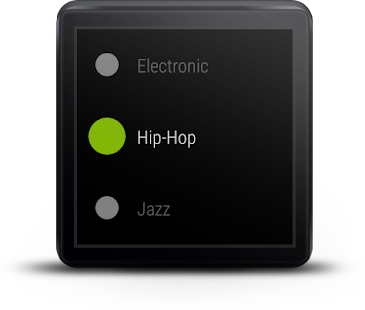
- Select and play individual tracks of your playlist
- Increase or decrease volume
- Turning the shuffle or repeat mode on and off
- Play the next or previous track
- Pause the media player
- Mute playback
- Display of artist, track and album art
- Start playing an album, artist top tracks or radio via voice
Features on the mobile phone:
- Option to use spotify app for playing songs (support for offline playback and playing songs without a spotify premium account)
- Login, Logout with your Spotify account
- Play the next or previous track
- Pause the media player
- Display of artist, track and album art
Please note:
-Make sure your mobile is compatible with Android Wear.
-Make sure to pair your phone with the wearable device with help of the Android Wear app.
-To open: Go to "Start..." and open the app "Spotify" or say "Start Spotify"
Do you have any suggestions for improvement? Any ideas? Any issues with the app? Please let us know.
What's new in Wear Spotify For Android Wear 1.3.1
- Beta: Play songs with spotify app, support offline playback- Browse all playlists and all playlist tracks
- Browse featured playlists
- Voice commands: search for artist, album and radio
- Mute button
- New designed media player
- Playlist and track caching