
ID: verbosus.verbtexpro
Version: 3.4.4
File Size: 1.7Mb
VerbTeX Pro LaTeX Editor Screenshots
VerbTeX Pro LaTeX Editor Description
Pro Version:* Encrypted transmission (TLS) of your content
* Unlimited number of documents (Local Mode)
* Support development of free Apps
VerbTeX is a collaborative LaTeX Editor for your Android device. It allows you to create and manage LaTeX projects directly on your Android device and generate a PDF by using Verbosus (Online LaTeX and Octave Editor)
"The Best Way to Type LaTeX on the Go" - androidappsreview.com
"If you’re in need of a solid LaTeX editor that can travel with you in your pocket, you cannot beat VerbTeX. It will provide everything you need, plus cloud syncing" - androidappsreview.com
This software is provided "as is" without warranties or conditions of any kind, either expressed or implied.
Features:
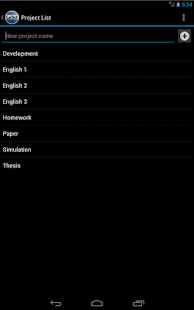
* 2 Modes: Local Mode (stores .tex documents on your device) and Cloud Mode (synchronizes your projects with Verbosus)
* Full LaTeX distribution (TeXLive)
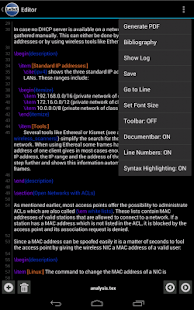
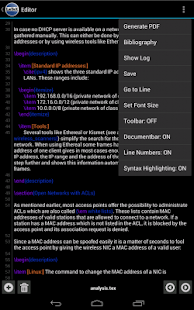
* Syntax highlighting
* Hotkeys (see below)
* Web-Interface (Cloud Mode)
* Collaboration (Cloud Mode)
* Dropbox integration (Local Mode: Menu -> Options -> Link to Dropbox)
* Box integration (Local Mode: Menu -> Options -> Link to Box)
* Project import (Local Mode: Copy your existing .tex and other files to your local project folder in VerbTeX/Local/[projectname])
* Autosave (Local Mode: Menu -> Options -> Autosave Interval)
* Custom template for new .tex files (Local Mode)
* Copy project from Local Mode to Cloud Mode
* Copy project from Cloud Mode to Local Mode
Limitations in Cloud Mode (please visit Verbosus for additional details):
* Max. number of projects: 4
* Max. number of documents per project: 4
Import existing projects in Local Mode:
* Link to Dropbox or Box (Options -> Link to Dropbox / Link to Box) and let VerbTeX automatically synchronize your projects
OR
* Put all your files in the VerbTeX folder on your SD card: /sdcard/VerbTeX/Local/[project]/
Please note: At least one .tex file must exist. The name of the project is the [project] folder name.
Change the default template for new .tex files: Add a file called 'template.tex' in your local root project folder (/sdcard/VerbTeX/Local/template.tex). The next time you add a new document to a project the new .tex file will be filled with the text of your template.tex file.
Dropbox support: On the start screen press Menu -> Options -> Link to Dropbox (Please unlink any third party tools that access your VerbTeX folder)
If you experience any performance issues while using the editor please try
* to disable syntax highlighting and line numbers by choosing Menu -> More -> Syntax Highlighting: ON and Line Numbers: ON
* to split up your project into multiple .tex files by using the include{...} command of LaTeX
Hotkeys in editor:
ctrl+s: save
ctrl+g: generate PDF
ctrl+n: new document
ctrl+d: delete document
ctrl+.: next document
ctrl+,: previous document
Features of VerbTeX Pro LaTeX Editor 3.4.4
* Bugfix: Open external .tex files from any app* Better external keyboard support:
Hotkeys in editor (ctrl+s: save, ctrl+g: generate PDF, ctrl+n: new document, ctrl+d: delete document, ctrl+.: next document, ctrl+,: previous document)